Browse & Discover
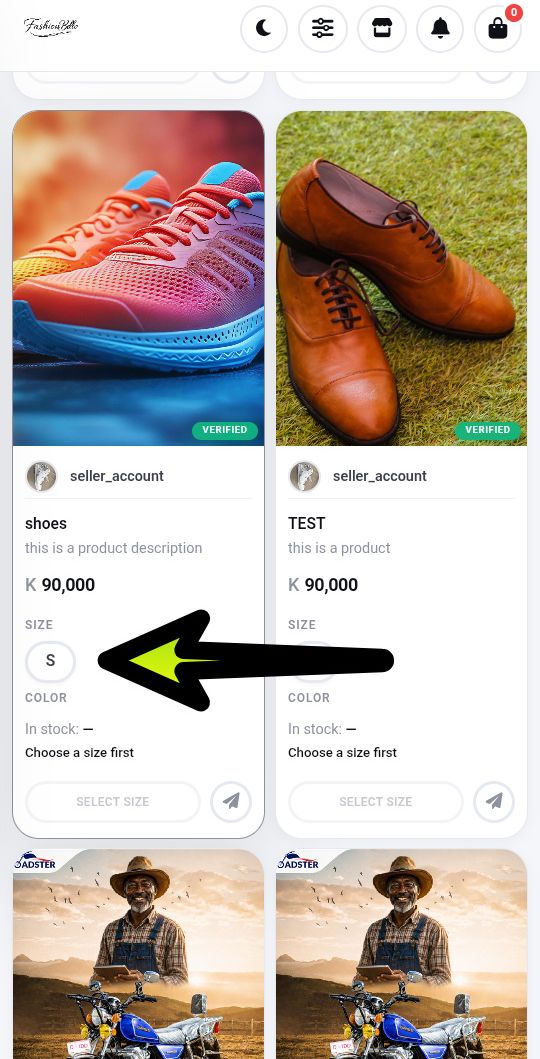
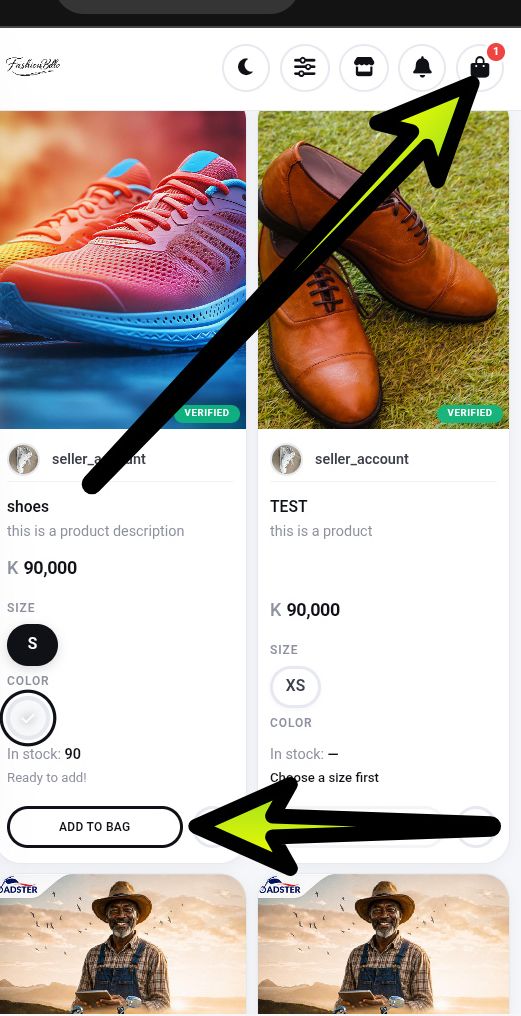
Select your preferred size and color. Each size is linked to its available colors, and each color is linked to its available sizes. When you select one option, the corresponding option will be selected automatically.
We've broken the whole process down into six clear steps — so you always know exactly what happens next, from the moment you add to bag to the moment you confirm delivery.
Select your preferred size and color. Each size is linked to its available colors, and each color is linked to its available sizes. When you select one option, the corresponding option will be selected automatically.
Click on Add To Bag to add the item to your cart, review your items, proceed to checkout, confirm your order, and complete your payment securely through PayChangu.
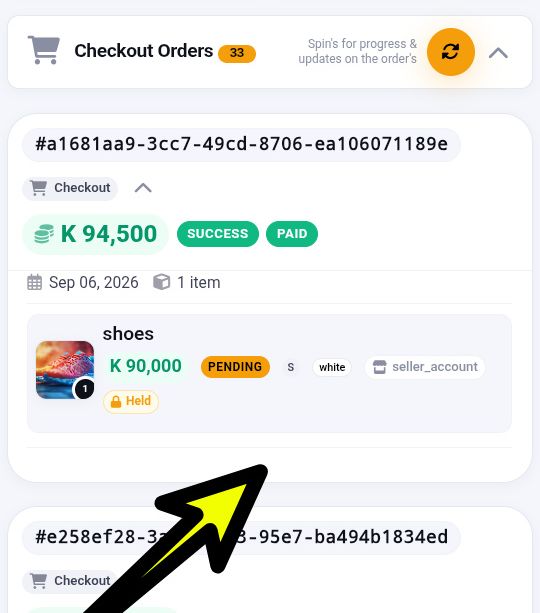
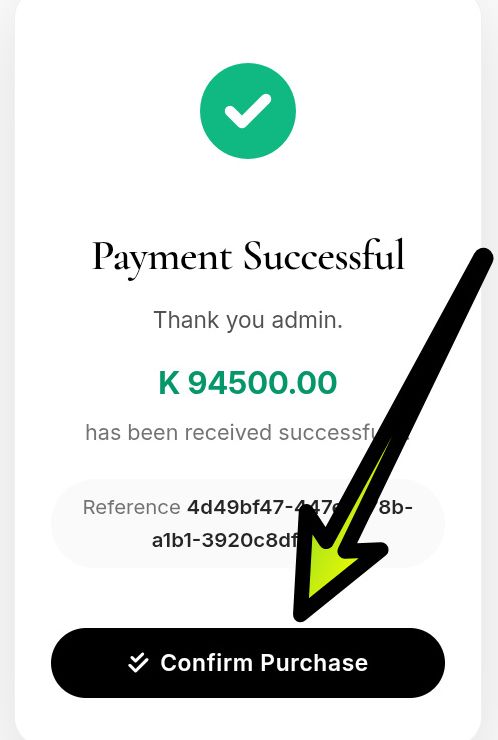
Hit the 'Confirm' button to confirm your order and notify the seller that your order has been placed.
Review your order details, track its progress, and receive updates throughout the fulfillment process, including your receipt when a delivery service is selected.
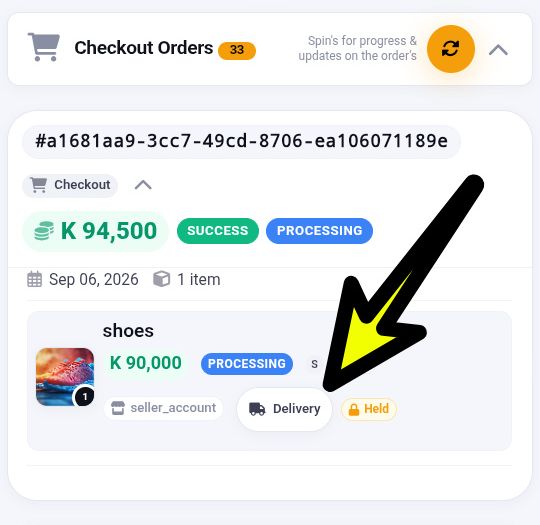
Click the 'Delivery' button to view your order updates, delivery details, and progress. You can also access your order receipt and view the processing time for your order.
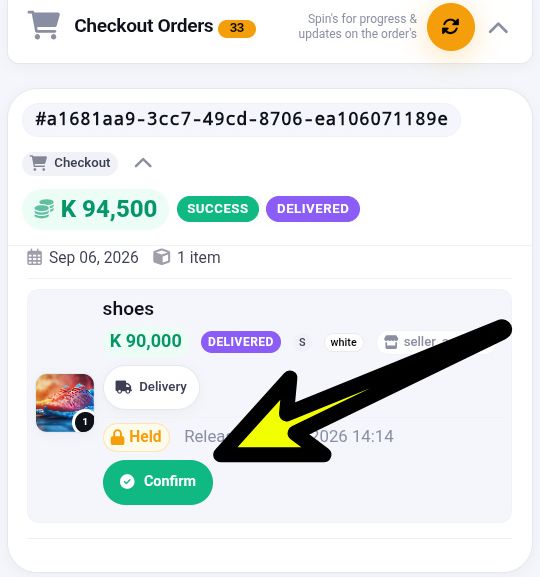
Once your order has been delivered, a 'Confirm' button will appear. Click it to confirm that you have received the item and authorize FashionBello to release the funds to the seller. Each item in your order will have its own confirmation button, ensuring that funds are released to the appropriate seller only after delivery is confirmed.
Ready when you are
Enjoy a seamless shopping experience from start to finish — browse, pay, track and confirm with total confidence.
Explore Marketplace